 DreamVibe
AI dev team · runs on your machine
Your own team of AI developers. You stay the boss.
Write tasks on a board. Each one runs through a workflow you control: AI steps write and review the code, command steps lint and test it, guardrails cap its budget and time, and nothing merges until you approve.
Free for 1 project · Pro free for 30 days · works with Claude Code and Codex
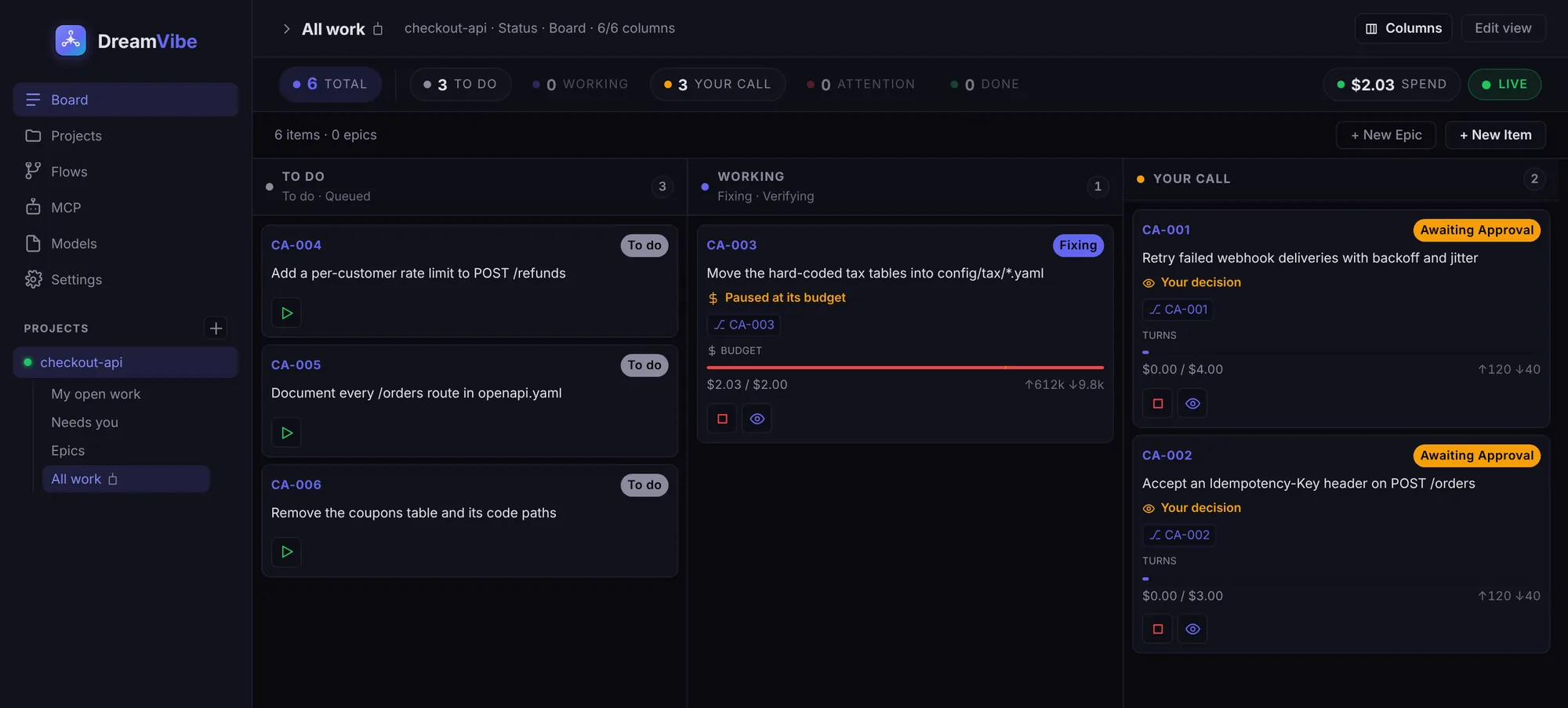
1 task = 1 branchAgents never touch main.
$ cap per taskA run stops at its budget, not after it.
0 code uploadedYour repo stays on your disk.
Workflows
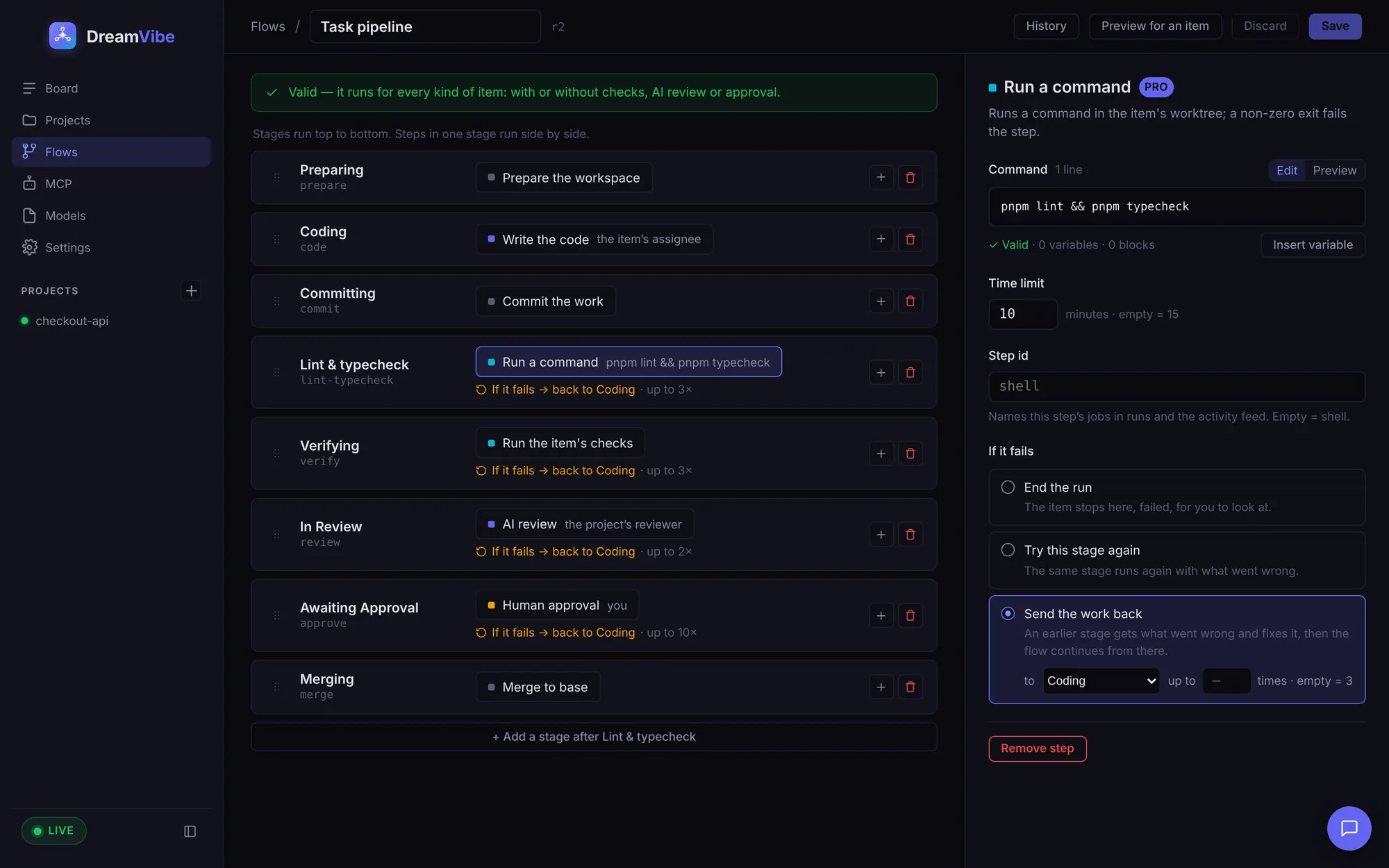
Every task runs a workflow. You decide the steps.
Like the workflow on your issue tracker, except the steps do the work. Start from the built-in pipeline or build your own per task type.
AI steps
An agent writes the code in its own branch. Another reviews it. Pick the agent and model per step.
Command steps PRO
Your lint, typecheck, test or migration commands, with a time limit. A non-zero exit sends the work back with the output.
Checks
Commands and plain-language acceptance criteria every task must pass before it reaches you.
Routes and retries
If a step fails, send the work back to Coding, retry the stage, or stop. Every loop has a limit.
Your approval
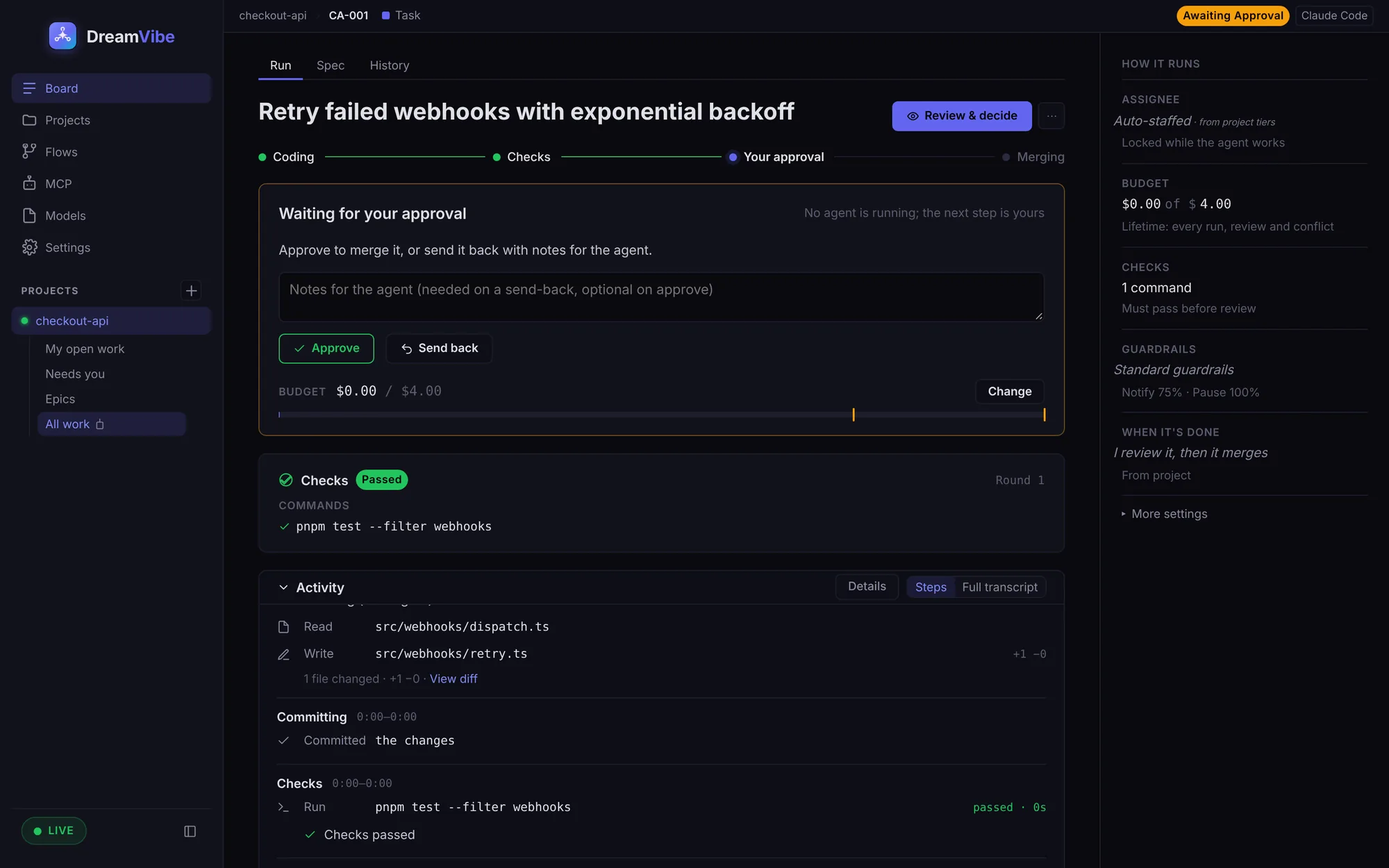
A human gate before merge. Approve, or send it back with notes for the agent.
Epics
Design the feature. DreamVibe breaks it into tasks.
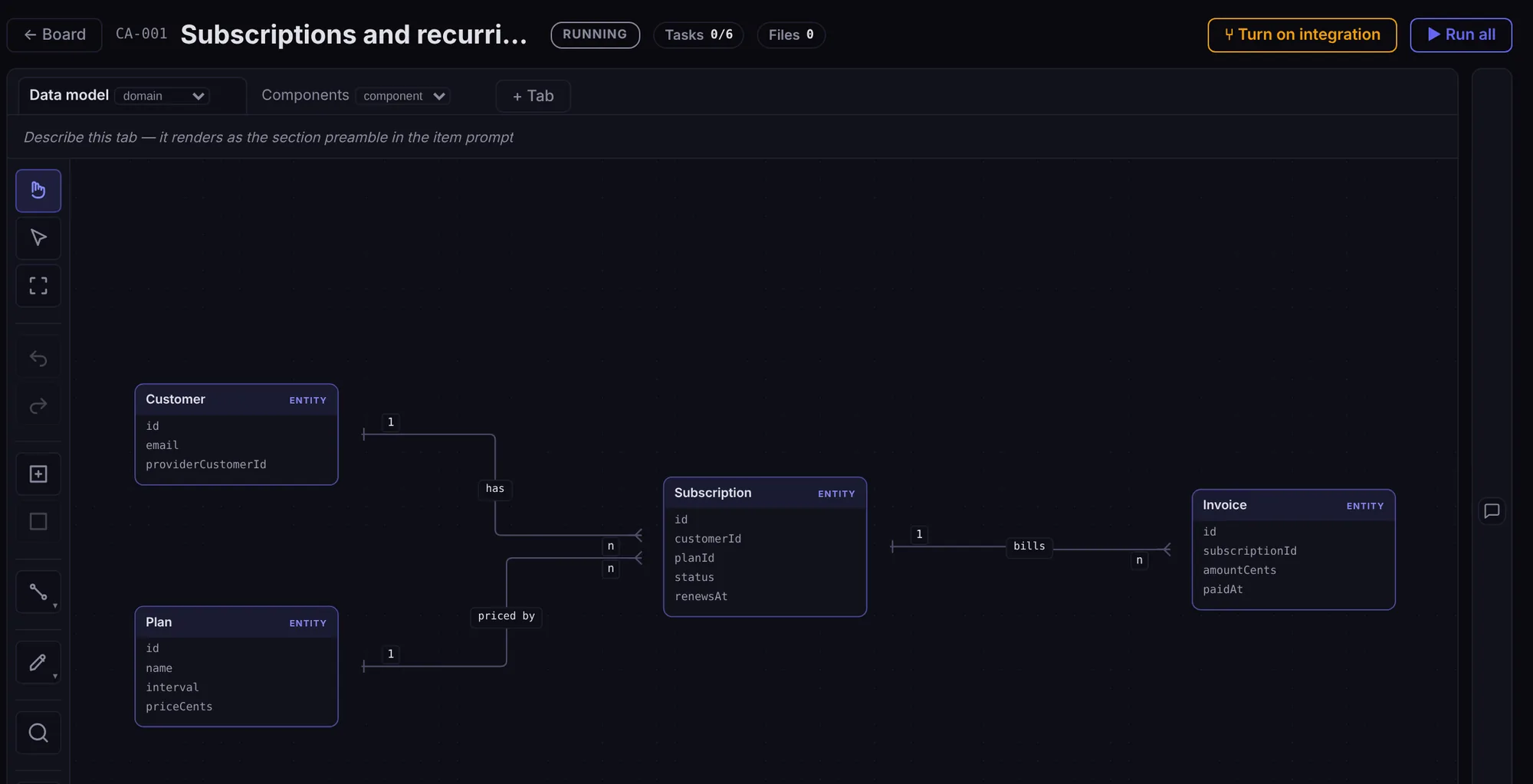
An epic is a big piece of work with a design canvas attached. Sketch it with the agent, split it into tasks, and let the tasks run.
Design canvas
Data model, components and more, each on its own tab. Entities, fields, services, queues, and how they connect.
Design with the agent
The agent reads and edits the same canvas you do. Ask it to sketch the model, or to react to what you drew.
Every task knows the design
The epic's design goes into each task's prompt, so the agents build to the same plan.
Broken into tasks
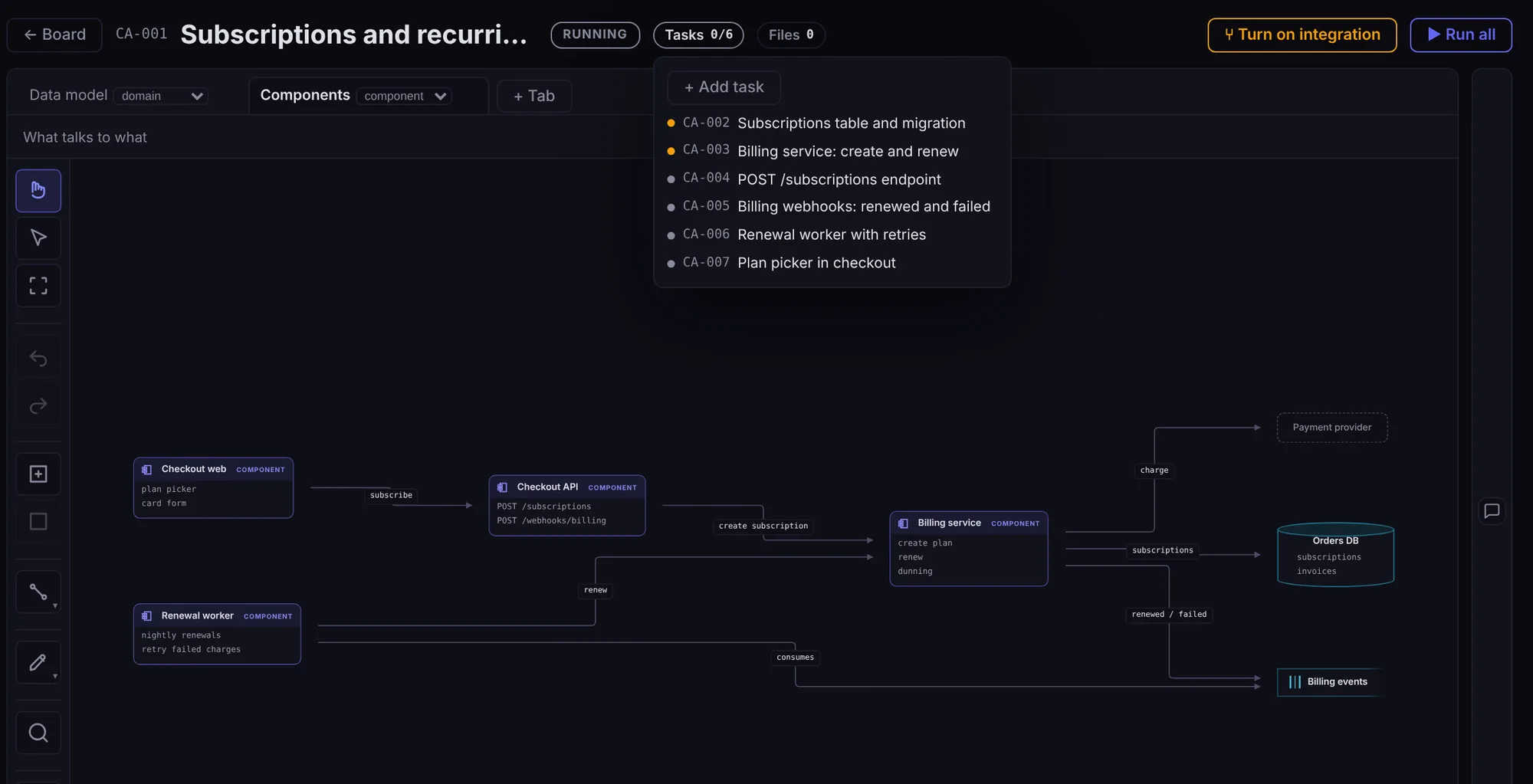
The epic holds its tasks. Each one runs its own workflow, with its own budget and checks.
Run all
One click starts the tasks, as many side by side as your plan allows.
One branch for the epic
Turn on integration and the tasks land on the epic's own branch. You review the whole feature once, then merge it.
Guardrails
Agents work inside limits you set.
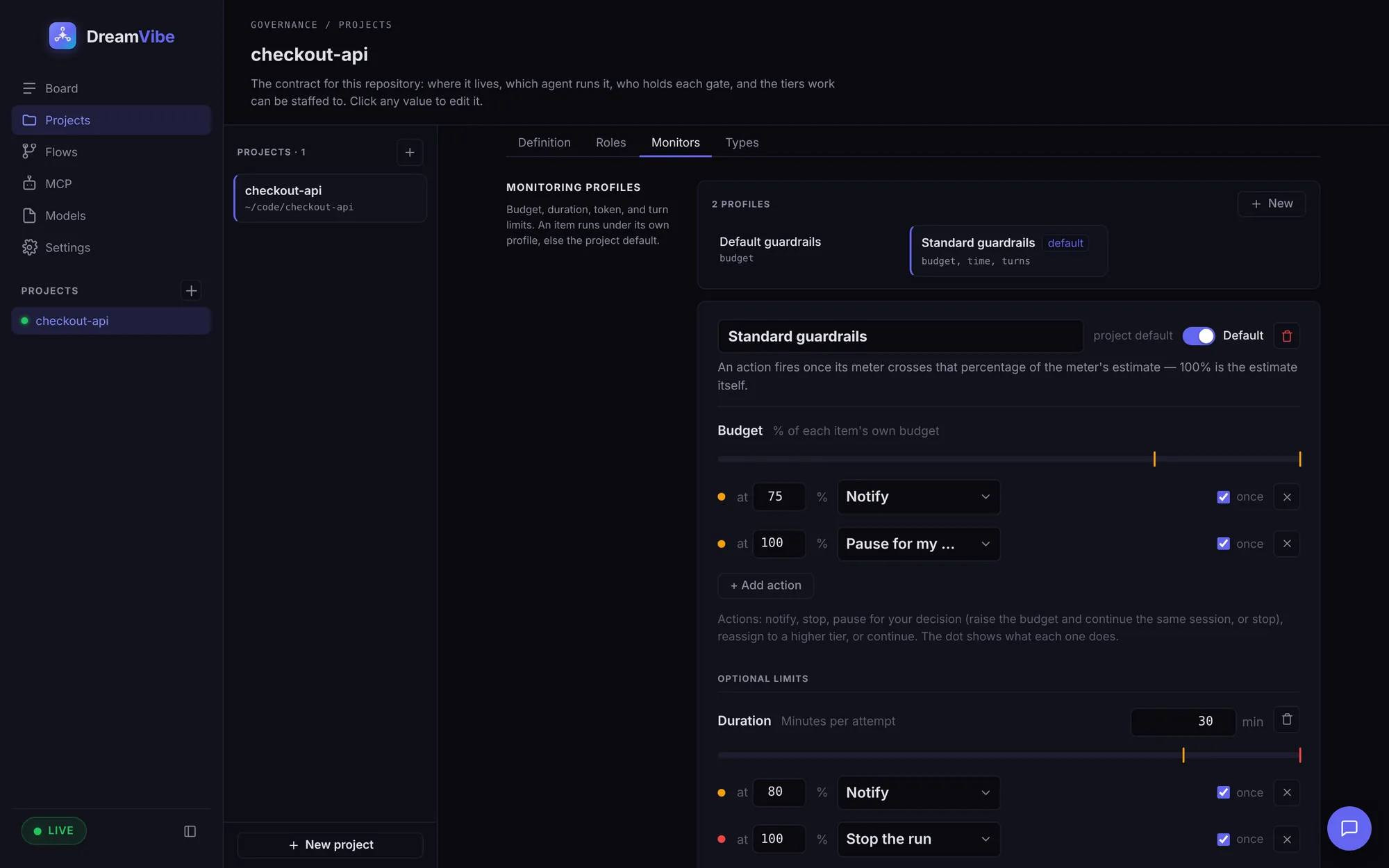
Every task has its own budget. Guardrails watch money, time, turns and tokens while the agent runs, and act at the line you drew.
Budget per task
A dollar cap for the task's whole life: every run, review and fix. Tokens are metered live.
Time per attempt
Minutes an agent may take on one try. Plus optional caps on turns and tokens.
You choose what happens
Notify, stop, hand it to a stronger model, or pause and ask you.
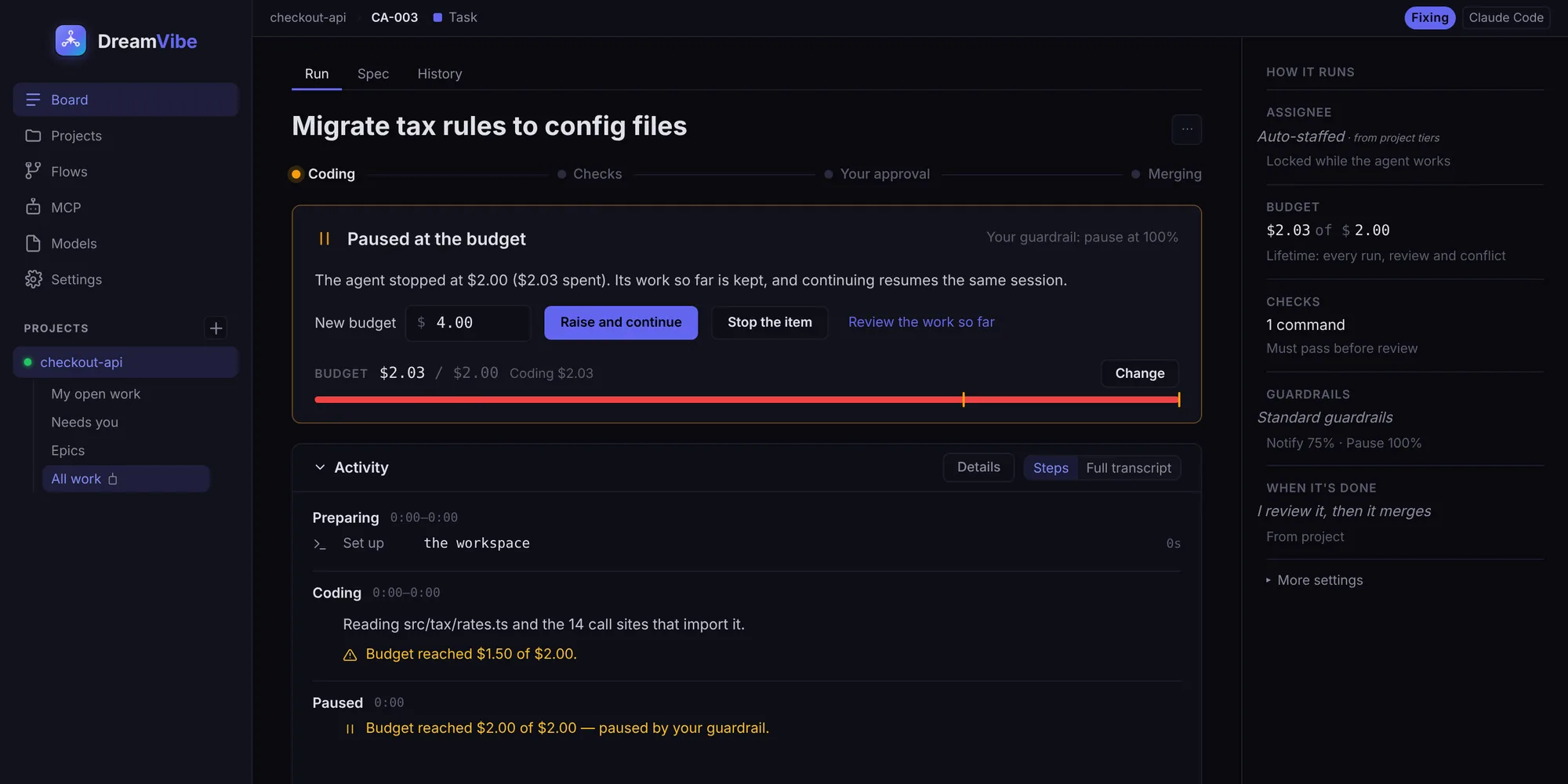
Review
Nothing reaches main until you say so.
Each task shows where it is in its workflow, what it spent, which checks passed and what the agent did, step by step.
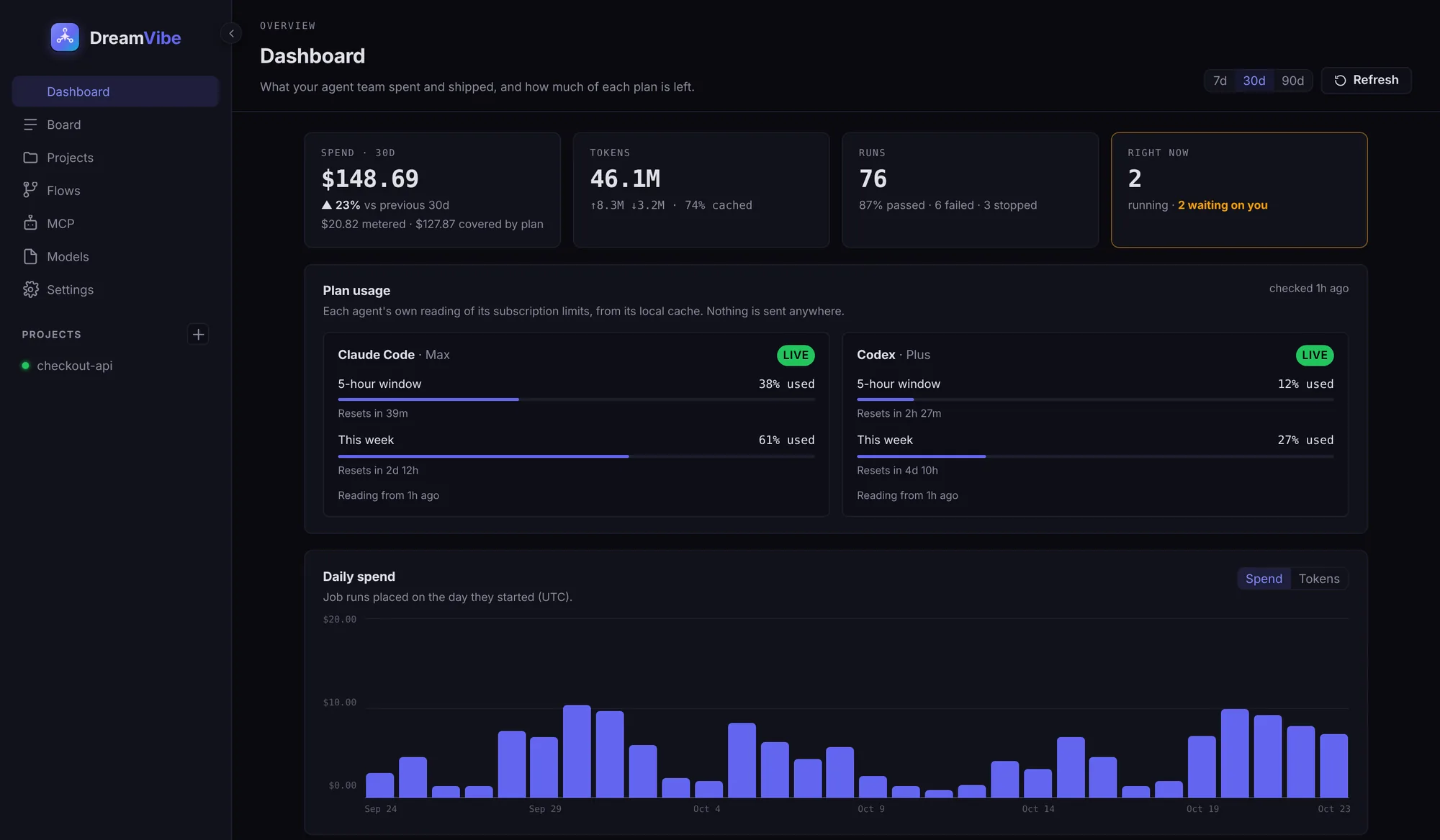
Dashboard
See what your team spent and shipped.
Spend, tokens and runs by day, model and project. Plus how much of your Claude Code and Codex plans is left, read from the agents' own local cache.
Also in the box
Built for one developer running many agents.
Isolated branches
Every task works in its own git worktree, so tasks run side by side without stepping on each other.
Your agent, your plan
Drives the Claude Code and Codex CLIs you already pay for. No token markup, no proxy in between.
Task types and epics
Tasks, bugs and epics. Each type runs its own workflow, and its own board shows that workflow's stages.
Conflicts handled
When two branches touch the same code, the agent resolves it and the task goes back through its checks.
Your code stays local
DreamVibe runs on your Mac. Your repo never leaves your disk through it.
Remote machines PRO
Run a project on a build box or a cloud VM over SSH, from the same board.
Pricing
Start free. Upgrade when one project isn't enough.
Pro is free for 30 days. Agent usage is billed by Anthropic or OpenAI on your own plan; DreamVibe adds nothing to it.
Free
$0
- 1 project
- 2 tasks running at once
- Budgets, checks, review and merge
- Claude Code and Codex
Pro
$19.99 / month
- Unlimited projects
- AI review and merge
- Unlimited concurrent runs
- Semantic memory recall
- Remote machines over SSH
- Custom flows
Prices in USD. Billed and managed on your Verentic account. Cancel any time; see the refund policy.
Questions
Does my code leave my machine?
Not through DreamVibe. The agent CLI talks to its model provider exactly as it does when you run it yourself. DreamVibe is not in that path.
Do I need an API key?
No. A Claude subscription login works, as does an API key. Codex works with your ChatGPT plan or an OpenAI key.
How is this different from Claude Code alone?
Claude Code does one task in one terminal. DreamVibe runs a backlog in parallel, with a budget, checks and review on every task.
What happens when the trial ends?
You move to Free: 1 project, 2 tasks at once. Your work stays on your disk.
Which platforms?
macOS, on Apple silicon and Intel.
Who makes DreamVibe?
Verentic LLC, a US software company. Accounts, billing and support run on verentic.co; write to contact@verentic.co.
Hand off the next task tonight.
The macOS build is in final testing. One email when it ships, nothing else.